Let your coding agents use
the Chrome you already use.
A Chrome extension and MCP server that let Claude Code, Codex, Gemini, Grok and other agents work in your signed-in Chrome profiles. Each agent gets its own tab group, and you can see exactly what it's doing.
Sets up every agent on your machine in one step. Or let your agent install it.

Recorded by the extension itself while Claude Code searched Wikipedia.
You always know what the agent is doing
Agents work next to you, in their own tabs. You can see each move and stop them with one click.
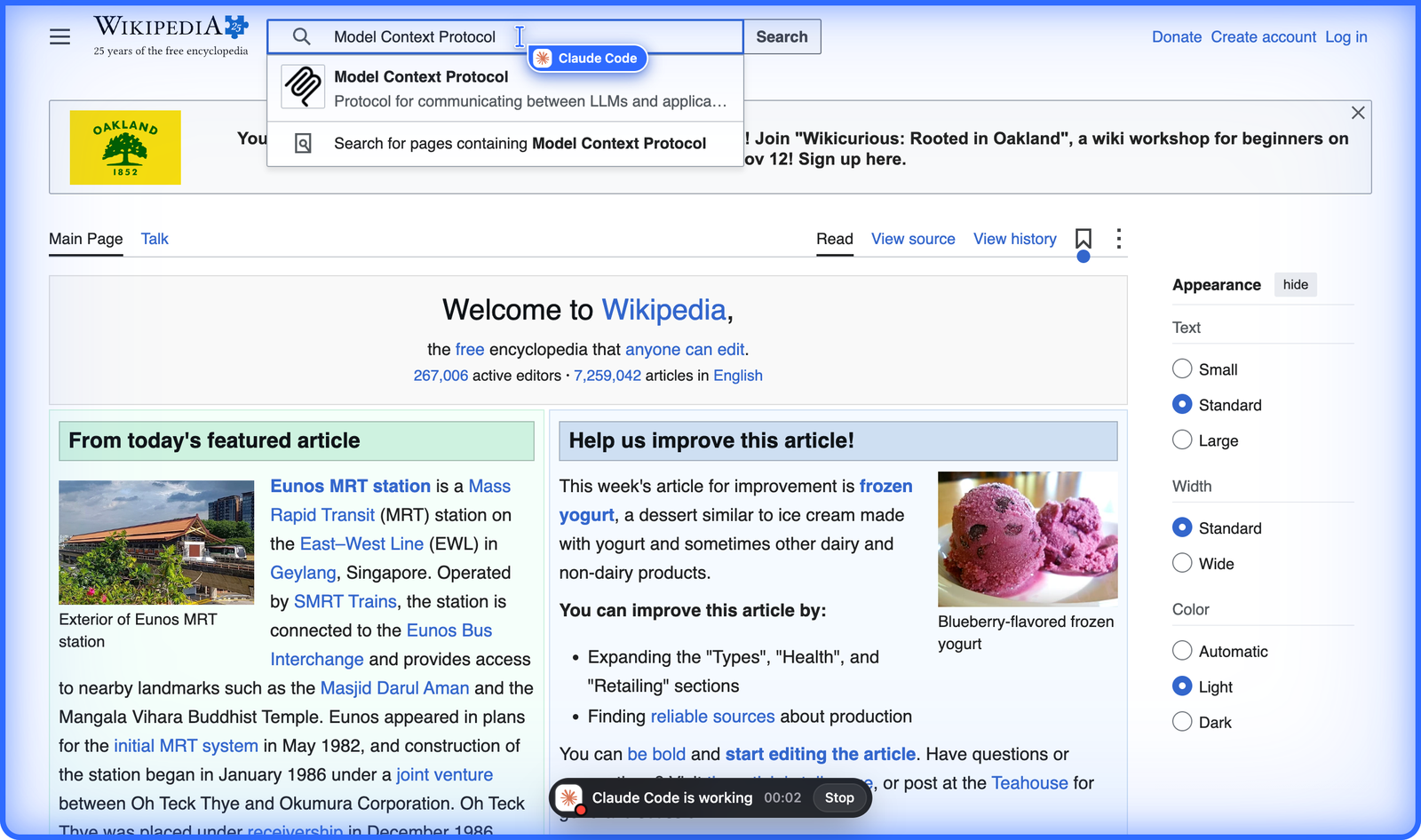
Its own cursor, border and Stop button
The agent's cursor glides to each target, turns into a hand over links and an I-beam over text, and shows the agent's logo. A blue border and a status pill mark the tab it's working in. Your own mouse never moves.
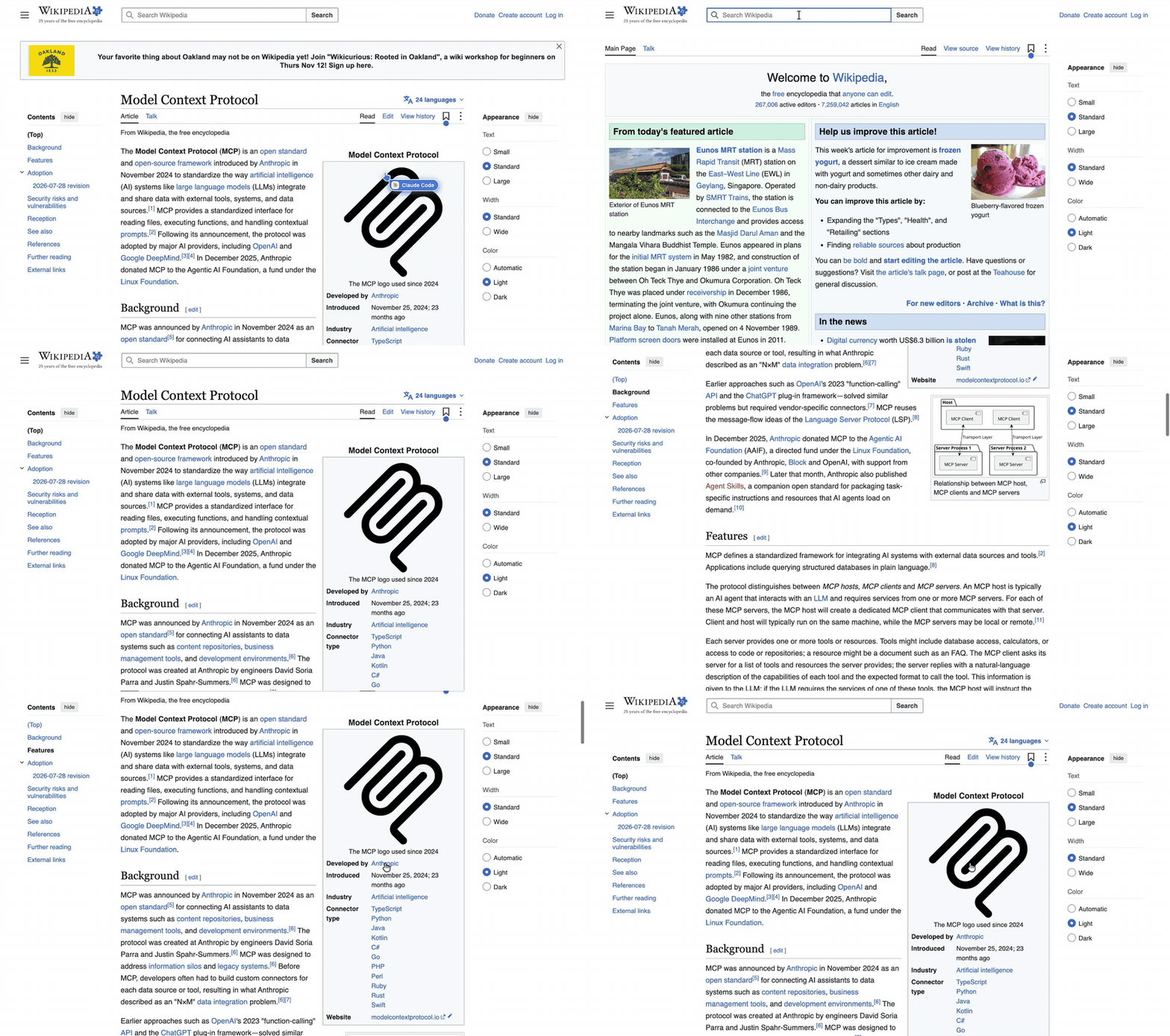
Clean screen recordings
Ask for a video and you get an MP4 that looks like a person using the page: a normal cursor, with no border, labels or pill. Good for bug reports, docs and demos.
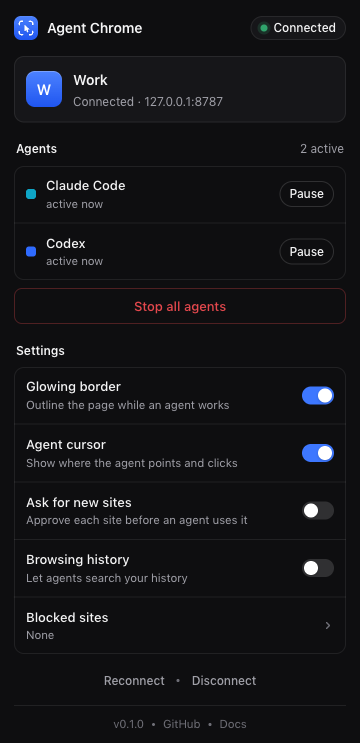
A tab group for every agent
Run Claude Code and Codex at the same time. Each gets its own named, colored tab group, and the toolbar popup lets you pause one or stop all.
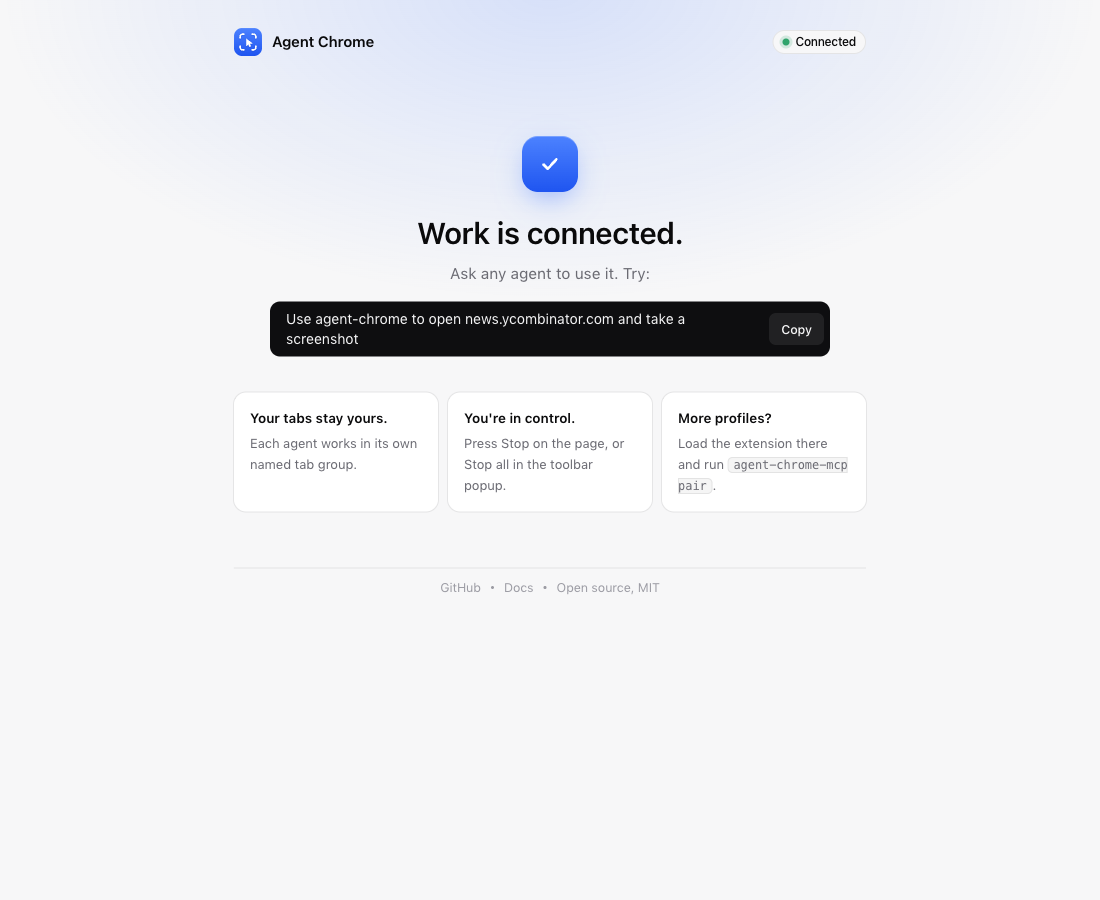
All your Chrome profiles
Connect Work, Personal and client profiles with a one-time code each. Agents pick a profile by name and stay signed in wherever you are.
Built for real websites
The same tools as Claude in Chrome, plus the cases that usually break browser agents.
Full browser control
Click, type, keyboard shortcuts, scroll, zoom, forms, page text, accessibility tree, JavaScript, console and network logs.
Drag and drop
Native HTML5 drag and drop for boards and file drop areas, plus pointer drags for sliders and sortable lists.
File uploads
Real files from your computer or generated content, without the native file picker. Picker pop-ups are caught and filled.
Dialogs never freeze it
Alerts, confirms, prompts and "Leave site?" are reported and answered instead of hanging the agent.
Screenshots and video
Viewport, full-page and zoomed screenshots, MP4 clips and GIFs, returned as download links.
Secure by default
OAuth 2.1 or hashed account keys, single-use pairing codes, per-profile revocation, optional approval for each new site.
Set up in a minute
One command configures every agent on your machine at user level.
Run the installer
It creates your account, adds the MCP server to Claude Code, Codex, Gemini, Antigravity, Grok, Muse, Cursor and opencode, and links the skill.
Load the extension
The installer opens chrome://extensions and the folder to load. Then paste the pairing code it printed.
Ask your agent
"Use agentchrome to open my dashboard and record the checkout flow." It works in its own tab group.
Also works in Claude and ChatGPT
It's a standard remote MCP server with OAuth, so chat apps can use it as a connector. No command line needed.
Claude
- Open Customize › Connectors › Add custom connector.
- Paste
https://agentchrome.dev/mcpand press Connect. - Sign in or create an account, then say "Connect my Chrome".
ChatGPT
- Turn on Developer mode in Settings › Apps & Connectors.
- Create a connector with
https://agentchrome.dev/mcpand choose OAuth. - Sign in or create an account, then say "Connect my Chrome".
Or add it by hand
An API key in a header, or OAuth with no secrets in config files.
# API key
claude mcp add --scope user --transport http agentchrome https://agentchrome.dev/mcp \
  --header "Authorization: Bearer $(agentchrome key)"

# OAuth: the sign-in page asks for your account key once
claude mcp add --scope user --transport http agentchrome https://agentchrome.dev/mcp
Open source, and free to self-host
Run it on our server, deploy your own to Cloudflare with one script, or keep everything on your machine with local mode.